Upkeep · updated 14 November 2026
Storage, cache and updates without drama
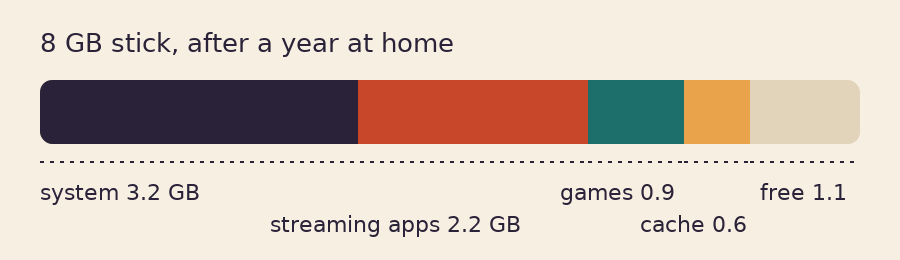
Streaming sticks and many televisions have less storage than a phone, often eight or sixteen gigabytes, and the system takes a good part of it. When space runs low, updates fail quietly and apps start to stutter. A ten-minute tidy every few months prevents most of that.
Look before you delete
The storage section of settings shows how much space is used and by which apps. The big ones are usually streaming apps that keep downloaded titles, and games. Sort by size if the menu allows it and start at the top.
Cache or data
Clearing an app's cache removes temporary files and is safe: the app rebuilds what it needs. Clearing data resets the app completely, including sign-ins and downloads, so keep that for an app that is truly stuck. I clear cache, restart, and only then think about data.
The restart people skip
A full restart from the settings menu, not the standby button, frees memory some apps never give back. I do it after large updates and whenever the remote feels slow. Unplugging for thirty seconds is the stronger version for devices that never fully switch off.
Letting updates run
Automatic app updates are worth keeping on for fixes. A system update that appears mid-film can usually wait until morning. Before a big one, make sure a gigabyte or two is free, or it may refuse to install.
Extra storage
Some boxes accept a USB stick as extra storage. Formatted as internal storage, it is tied to that one device, so do not move it elsewhere with photos still on it. For films you watch once, a stick used as removable storage is simpler.